Jin Daily AI Trivia : The secret most AI automation gurus don’t tell you
When people talk about AI automation, everyone likes to say:
“Just use Gemini.” “Just upload the PDF.” “Just let AI read the document.”
Sounds easy, right?
Until you actually throw in a real business document.
Messy invoice. Long PDF. Scanned document. Tables everywhere.
Then suddenly the AI becomes blind.
This is the part most AI automation guru don’t really tell you.
Document scanning is one of the biggest pain points in automation.
Most built-in AI PDF or image readers are not really designed for heavy document OCR. They often treat the whole page like one big image, then try to understand everything at once.
The problem is, AI has token and vision limits.
So when your PDF has too much information, too many tables, or too many small details, the quality drops fast. It may miss rows, break table structure, skip text, or hallucinate the content.
This is where Mistral OCR comes in.
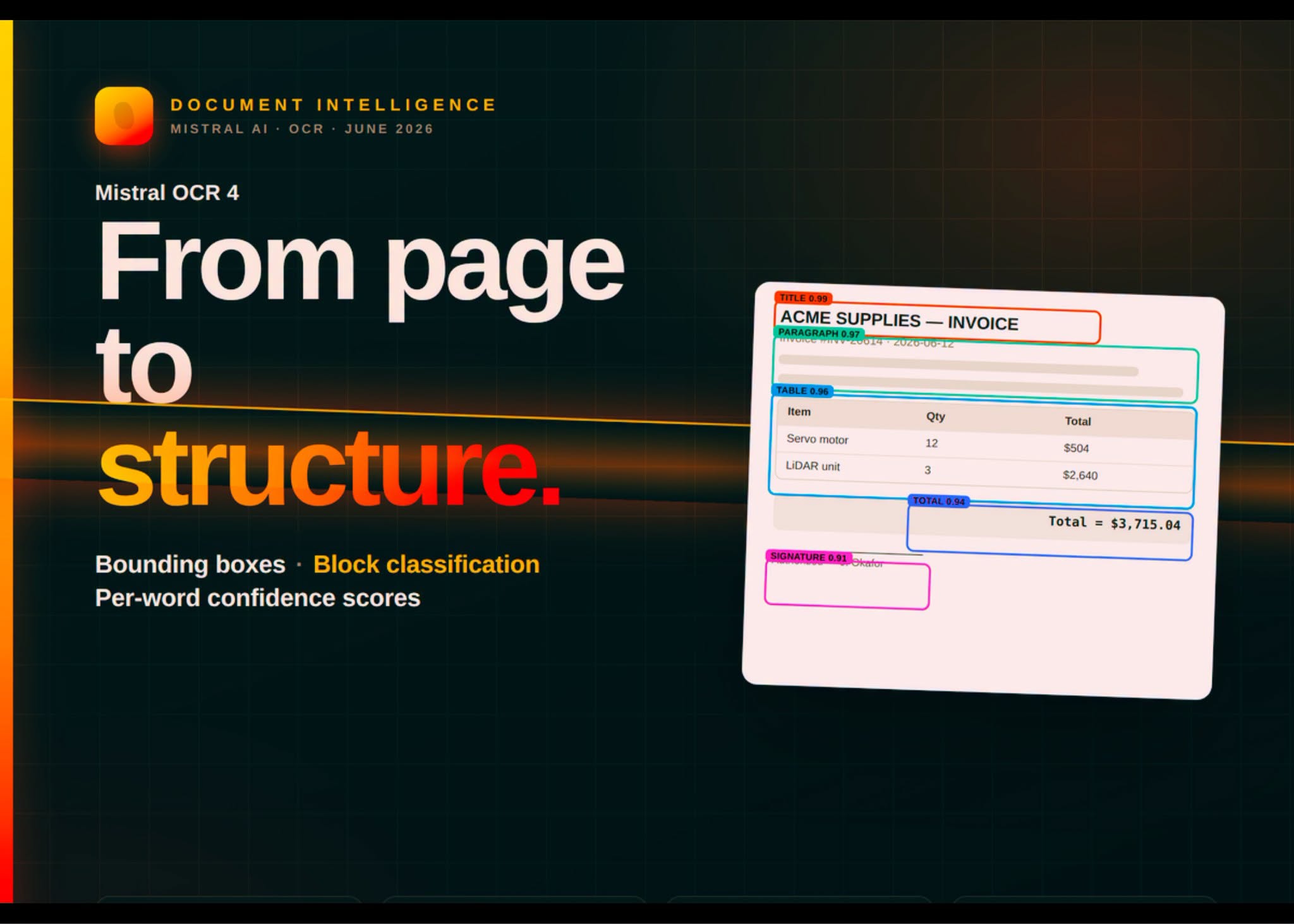
Instead of treating the whole document like one giant picture, it analyzes the layout first.
Picture here? Segment it. Table here? Extract it properly. Text block here? Read it section by section. Structure here? Try to preserve it.
That makes a huge difference when you are dealing with real documents, not demo PDFs.
Yes, there are open-source options too, like PaddleOCR, Unlimited-OCR, but in real-life business automation, unless you have strict data privacy or compliance requirements, running OCR locally can become a headache.
You need to manage infrastructure. You need batching. You need scaling. You need error handling. You need to process thousands of documents without the whole thing catching fire.
For most businesses, just use Mistral OCR.
The new Mistral OCR 4 cost around USD 4 for 1,000 pages. Yeah, price increased slightly compared to old version but still managable.
So if you are building AI automation for real business workflows, especially anything involving invoices, forms, reports, contracts, or scanned PDFs…
Don’t just throw everything into a chatbot and pray.
Use a proper OCR layer first.
That is the boring secret behind many “smart AI automation” systems.
Hope you learned something new today. See ya !!!